TOPIC: Vina Camera Image Slider

Vina Camera Image Slider 11 years 7 months ago #435

  • cho
  • cho's Avatar
  • OFFLINE
  • New Member
  • Posts: 1
  • Orders: 0
  • Download: 0
  • Karma: 0
Hello,

The module is tvery good but I think it would be interesting add a link when people click on the image.

Any idea how to make it?

Thank you and best regards.
The administrator has disabled public write access.

Vina Camera Image Slider 11 years 7 months ago #439

  • Rango
  • Rango's Avatar
  • OFFLINE
  • Administrator
  • Posts: 848
  • Thank you received: 115
  • Karma: 22
Dear Cho,

I understand what you need, however Vina Camera Image Slider does not support it (we can't modify to add this option too)
You can use module: Vina Awesome Image Slider, the current module does not support it. But i can help you modify module to add this option.

Best regards.
No pain no gain! Accept the pain, future will be fruitful!
The administrator has disabled public write access.

Vina camera image slider 11 years 6 months ago #628

  • Peter Scheire
  • Peter Scheire's Avatar
  • OFFLINE
  • New Member
  • Posts: 3
  • Orders: 0
  • Download: 2
  • Karma: 0
Hello

I installed the free camera image slider and it is awesome.
It worked perfectly for a few days and now I'm having a problem.
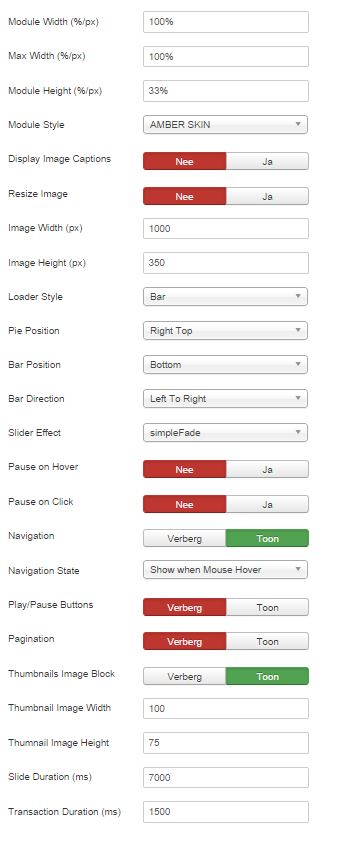
The thumnails under the slider are shown vertically and I can't find how to fix that.

Refreshing the page sometimes solves it, sometimes it doesn't...

screenshot attached.
Can anyone help me please?

Thank you in advance.

Peter

UPDATE: tested on other computers.
result:
  • firefox gives 2 columns of thumbnails and after refresh 1 row

  • chrome gives 1 column of thumbnails, refresh gives no result
  • IE 11 gives 2 columns of thumbnails and after refresh 1 row

screenshot.jpg
Attachments:
Last Edit: 11 years 6 months ago by Peter Scheire.
The administrator has disabled public write access.

Vina camera image slider 11 years 6 months ago #629

  • Rango
  • Rango's Avatar
  • OFFLINE
  • Administrator
  • Posts: 848
  • Thank you received: 115
  • Karma: 22
Dear Peter,

I think we have problem with css conflict from your template with our module.
Could you please post URL to your page here? Then i can check and let you know how to fix it.

Best regards.
No pain no gain! Accept the pain, future will be fruitful!
The administrator has disabled public write access.

Vina camera image slider 11 years 6 months ago #634

  • Peter Scheire
  • Peter Scheire's Avatar
  • OFFLINE
  • New Member
  • Posts: 3
  • Orders: 0
  • Download: 2
  • Karma: 0
Hey Rango

Thank you for your answer.
The building of the website is still in progress. You can find it here.
To avoid the vertical linup of the tumbnails to take a large piece of the page, I set the height of this part in camera.css.

thank you for your help.

Peter
The administrator has disabled public write access.

Vina camera image slider 11 years 6 months ago #635

  • Rango
  • Rango's Avatar
  • OFFLINE
  • Administrator
  • Posts: 848
  • Thank you received: 115
  • Karma: 22
Dear Peter,

It's really a problem with css conflict. You can solve this problem by follow this:
1. Open file: modules/mod_vina_camera_image_slider/assets/camera.css
2. Find class .vina-camera-slider .camera_thumbs_cont ul (line 387)
3. Add this code inside above class: width: 100% !important;
Then save file, upload then check to see how it work.

Best regards.
No pain no gain! Accept the pain, future will be fruitful!
The administrator has disabled public write access.
The following user(s) said Thank You: Peter Scheire
Leather Purses & Handbags, Women’s Crossbody Bags, Tote Bags for Women, Leather Backpacks, Men’s Wallets & Card Cases, Official OLEVS Website, OLEVS Couple Watches, OLEVS Women's Watches, OLEVS Men's Watches, OLEVS Watch, OLEVS Watches