TOPIC: Business Plan II

Business Plan II 10 years 7 months ago #1591

  • Michael
  • Michael's Avatar
  • OFFLINE
  • New Member
  • Posts: 6
  • Orders: 0
  • Download: 24
  • Karma: 0
Error
Last Edit: 10 years 7 months ago by Michael.
The administrator has disabled public write access.

Business Plan II 10 years 7 months ago #1592

  • Michael
  • Michael's Avatar
  • OFFLINE
  • New Member
  • Posts: 6
  • Orders: 0
  • Download: 24
  • Karma: 0
Error
Last Edit: 10 years 7 months ago by Michael.
The administrator has disabled public write access.

Business Plan II 10 years 7 months ago #1593

  • Giovanni Ciavarelli
  • Giovanni Ciavarelli's Avatar
  • OFFLINE
  • Senior Member
  • Posts: 46
  • Orders: 4
  • Download: 29
  • Thank you received: 7
  • Karma: 1
Michael wrote:
Rango wrote:
Dear Michael,

Our template use LESS CSS, so you must open the files in folder: ROOT/templates/business_plan_ii/less/
Then you can search class you want to modify.

Best regards.


Hello again!
My problem is still alive!
I think I did everything!
For ex. Here in #sp-header-wrapper, #sp-menu-wrapper I changed background, added border-radius etc.
But this i can not do it! Significant word here - !imporant (should be removed, at least temporarily)
I can not find the places where the files are changed!
Where and what I have to add?
Can someone explain to me the details?
Please help me.
Thanks.

I Michael I am a Noob like you! But I am trying to modify my template too. Did you erased your Joomla and Browser cache, after doing changes into LESS files?
The administrator has disabled public write access.

Business Plan II 10 years 7 months ago #1594

  • Michael
  • Michael's Avatar
  • OFFLINE
  • New Member
  • Posts: 6
  • Orders: 0
  • Download: 24
  • Karma: 0
I did everything! Moreover, I tried to write on joomshaper for Helix II.Branch is over
The administrator has disabled public write access.

Business Plan II 10 years 7 months ago #1595

  • Giovanni Ciavarelli
  • Giovanni Ciavarelli's Avatar
  • OFFLINE
  • Senior Member
  • Posts: 46
  • Orders: 4
  • Download: 29
  • Thank you received: 7
  • Karma: 1
Michael wrote:
I did everything! Moreover, I tried to write on joomshaper for Helix II.Branch is over

Are you trying to add a background color and a border-radius to megamenù?

Because It's working for me!

Be sure you are editing LESS file, not CSS !!

Step 1)
#sp-menu-wrapper {
	border-top: 1px solid #e7e7e7;
	border-radius: 20px; //I JUST ADDED THIS!
	height: 50px;
	.box-shadow(inset 0px -1px 5px rgba(0, 0, 0, 0.1));
	z-index:1000;
	position: relative;
	.container {
		position: relative;
	}
}

Step 2)

Then (using FTP) I RENAMED menu.less into menu.less.copy to have a backup copy.

Step 3)

Uploaded local menu.less to /public_html/templates/business_plan_ii/less

Step 4)

Then in the Joomla administrator I did:

System->Clear Cache->Select All->delete

Step 5)


Refreshed my page (CTRL-F5 would be better if you're on Windows)

... and now I have a rounded menu!

If It was not useful to you, or you needed something different ... Sorry! ;-)

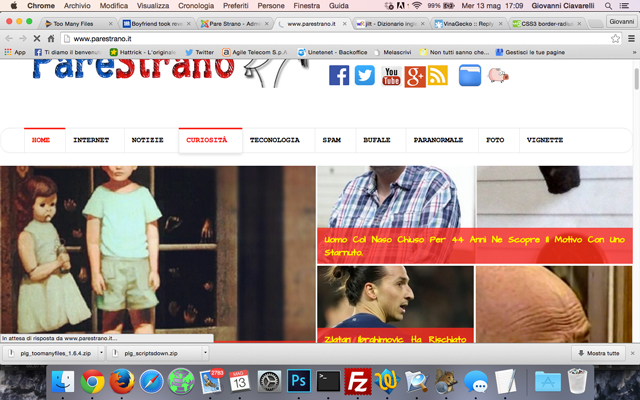
screen1.jpg
Last Edit: 10 years 7 months ago by Giovanni Ciavarelli.
The administrator has disabled public write access.

Business Plan II 10 years 7 months ago #1596

  • Michael
  • Michael's Avatar
  • OFFLINE
  • New Member
  • Posts: 6
  • Orders: 0
  • Download: 24
  • Karma: 0
Giovanni !
Thanks for your answer and URL !
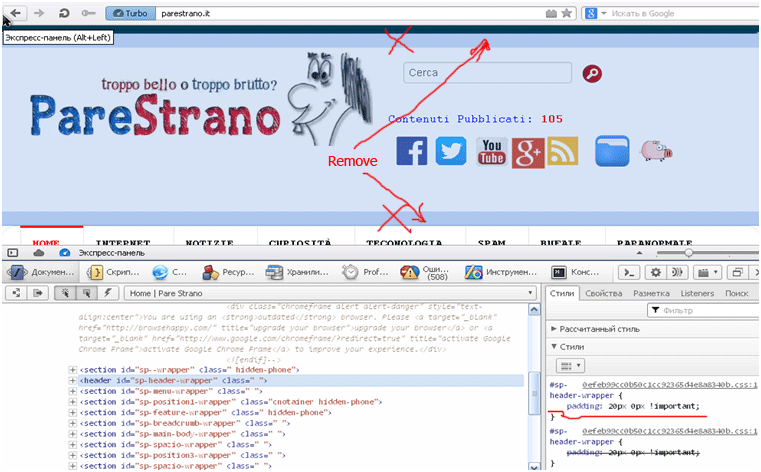
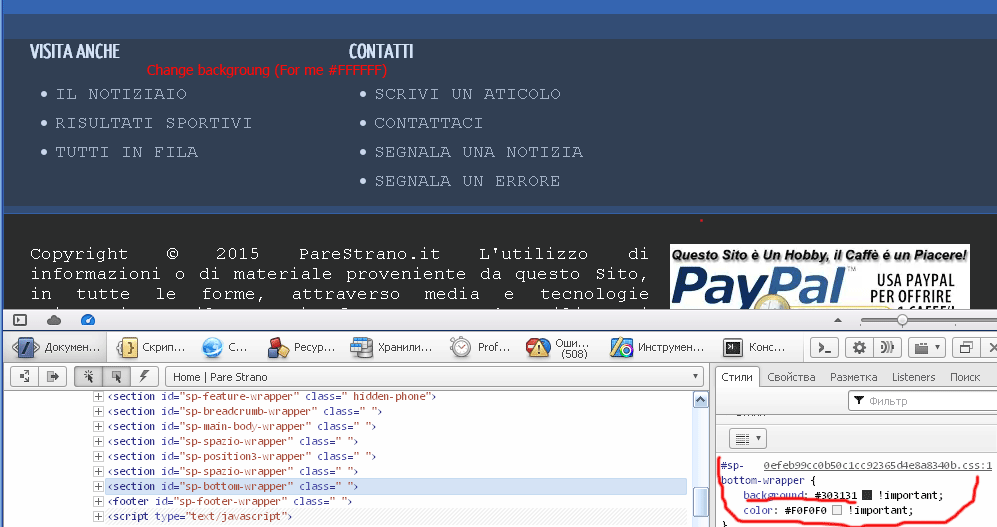
Now I can show you what I need.
This :
My-wish-1.png

And this:
My-wish-2.png


Maybe you do it faster ?
(My site is on local)
Last Edit: 10 years 7 months ago by Michael.
The administrator has disabled public write access.
Leather Purses & Handbags, Women’s Crossbody Bags, Tote Bags for Women, Leather Backpacks, Men’s Wallets & Card Cases, Official OLEVS Website, OLEVS Couple Watches, OLEVS Women's Watches, OLEVS Men's Watches, OLEVS Watch, OLEVS Watches