Hello B.Bouma,
You can change template folder by performing the following steps :
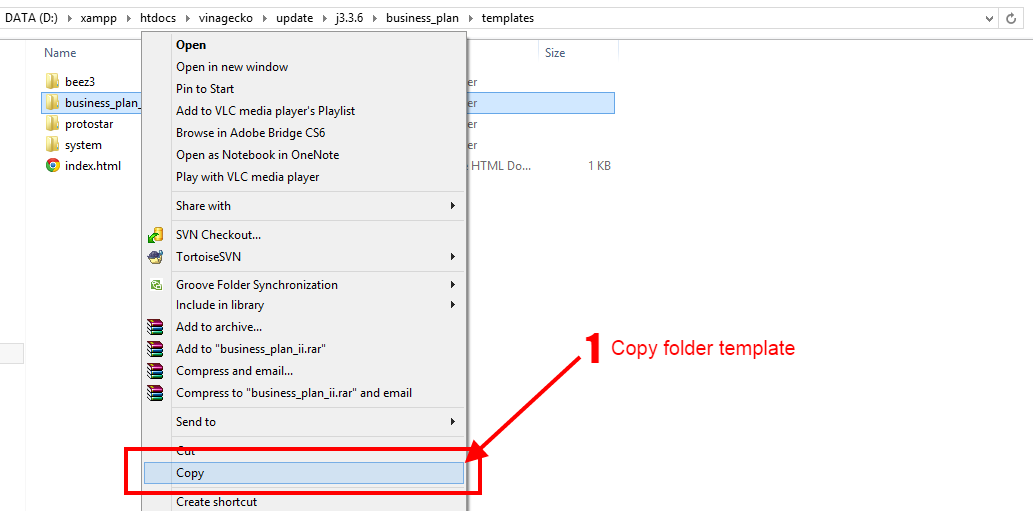
1. Copy Template Folder
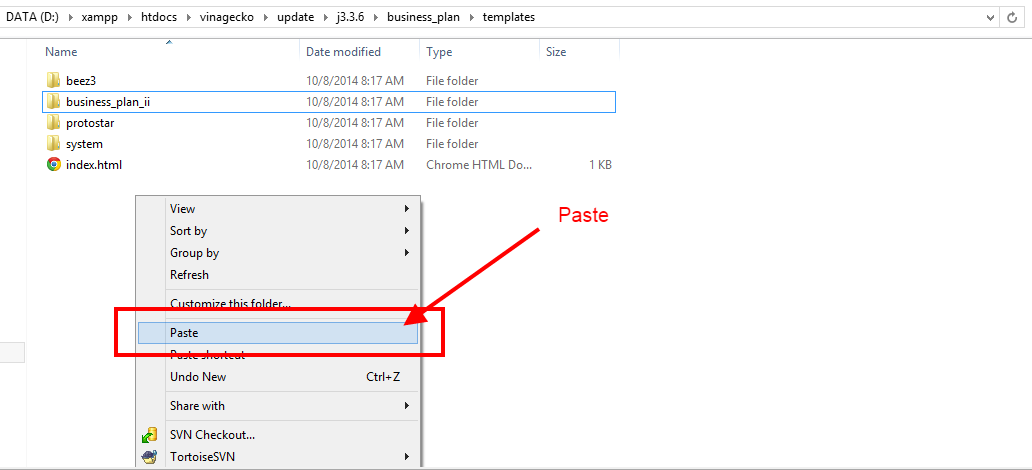
2. Pate Template Folder
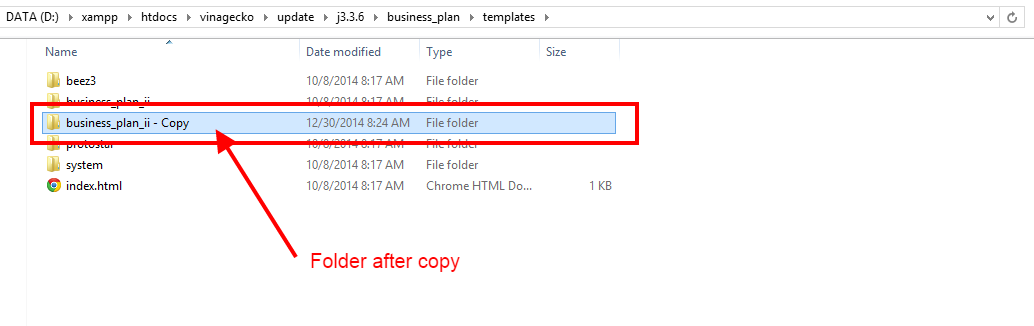
3. Folder after copy
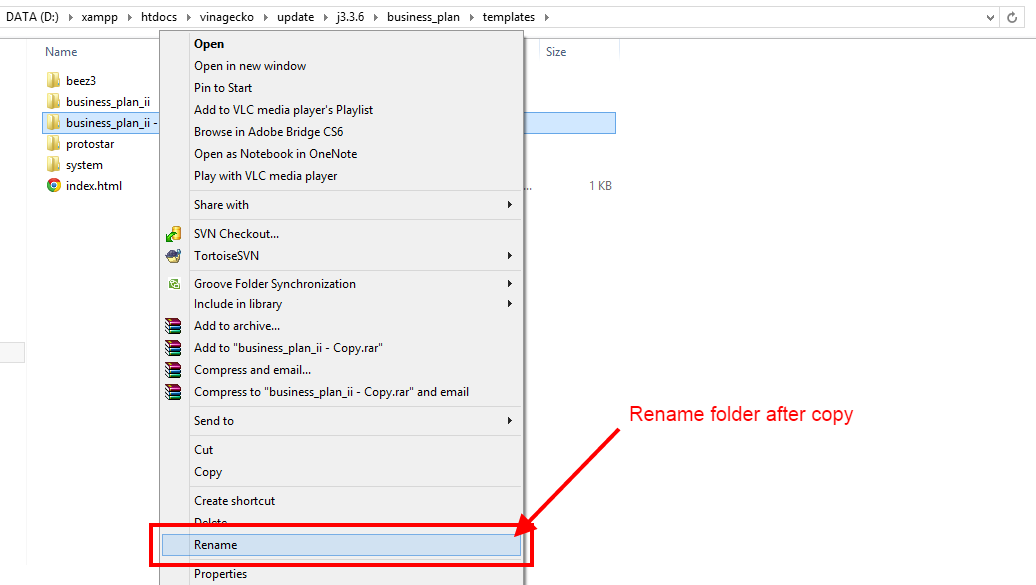
4. Rename folder after copy
5. Folder after Rename
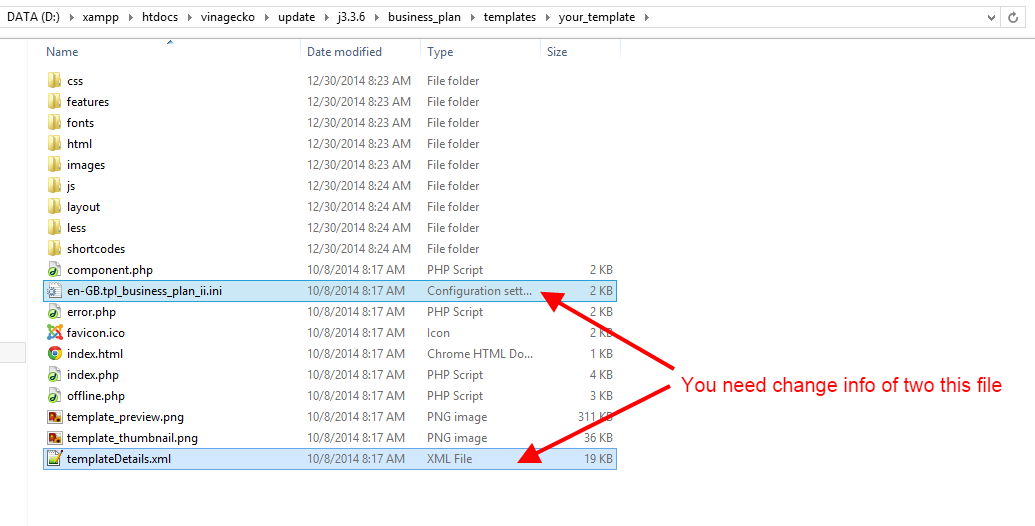
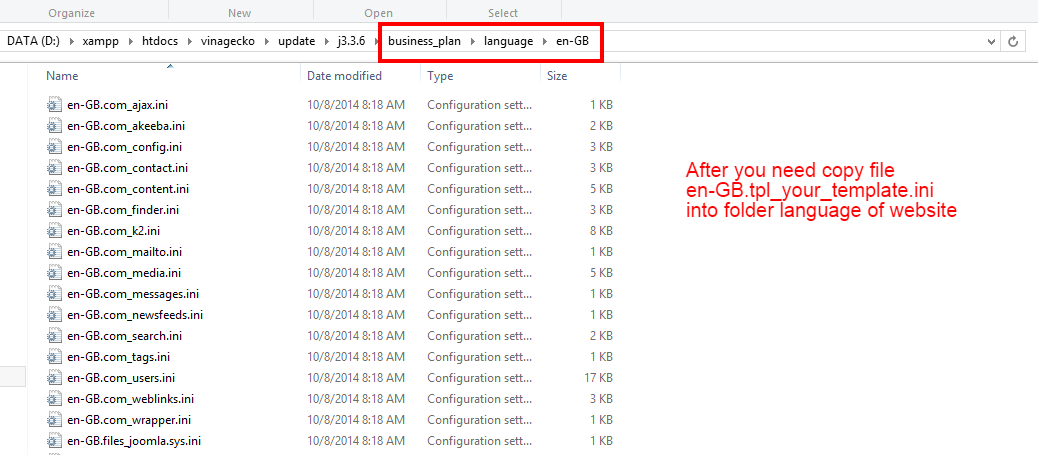
6. Inside the new folder :
a) File en-GB.tpl_business_plan_ii.ini :
en-GB.tpl_business_plan_ii.ini
=>
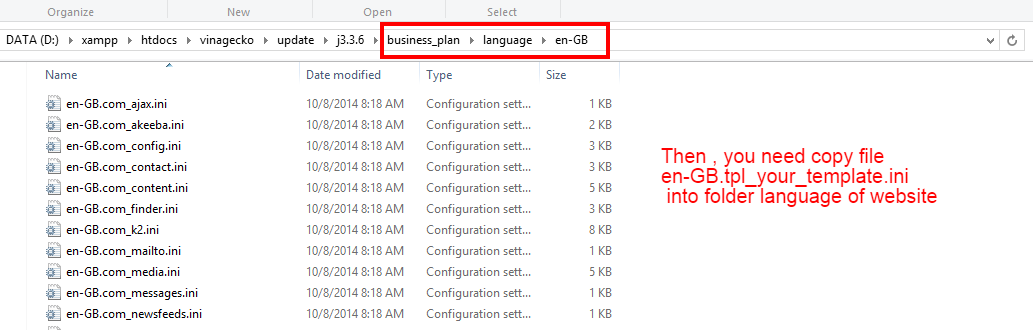
en-GB.tpl_your_template.ini
b) File templateDetails.xml : You open file and change codes :
<name>Business_Plan_II</name>
=> changed :
<name>Your_Template</name>
<language tag="en-GB">en-GB.tpl_business_plan_ii.ini</language>
=> changed :
<language tag="en-GB">en-GB.tpl_your_template.ini</language>
<file>en-GB.tpl_business_plan_ii.ini</file>
=> changed :
<file>en-GB.tpl_your_template.ini</file>

Happy new year