TOPIC: Vina Fashion II

Vina Fashion II 10 years 3 months ago #2685

It worked! Thank you very much!
The administrator has disabled public write access.

Modules on article pages 10 years 3 months ago #2686

Hello,

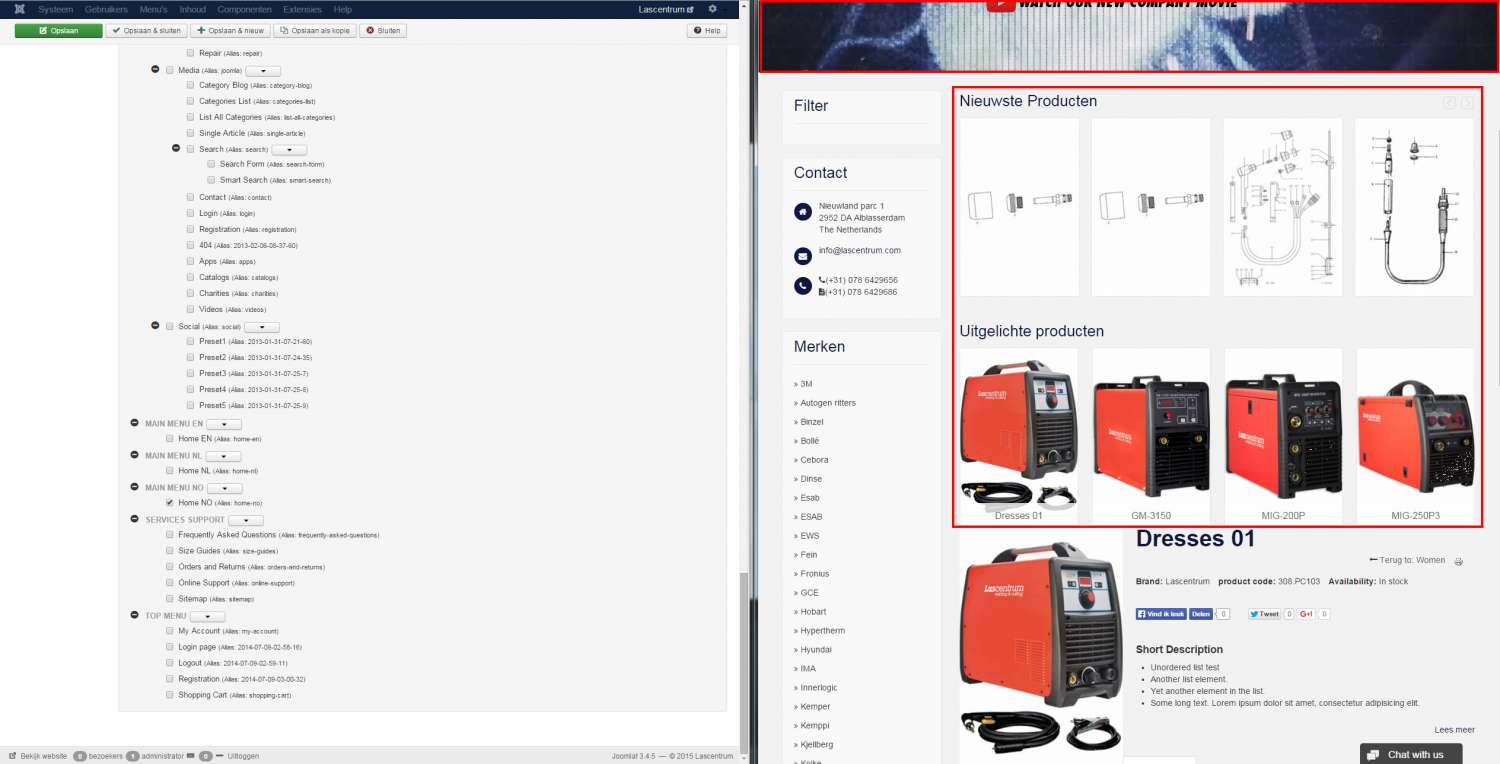
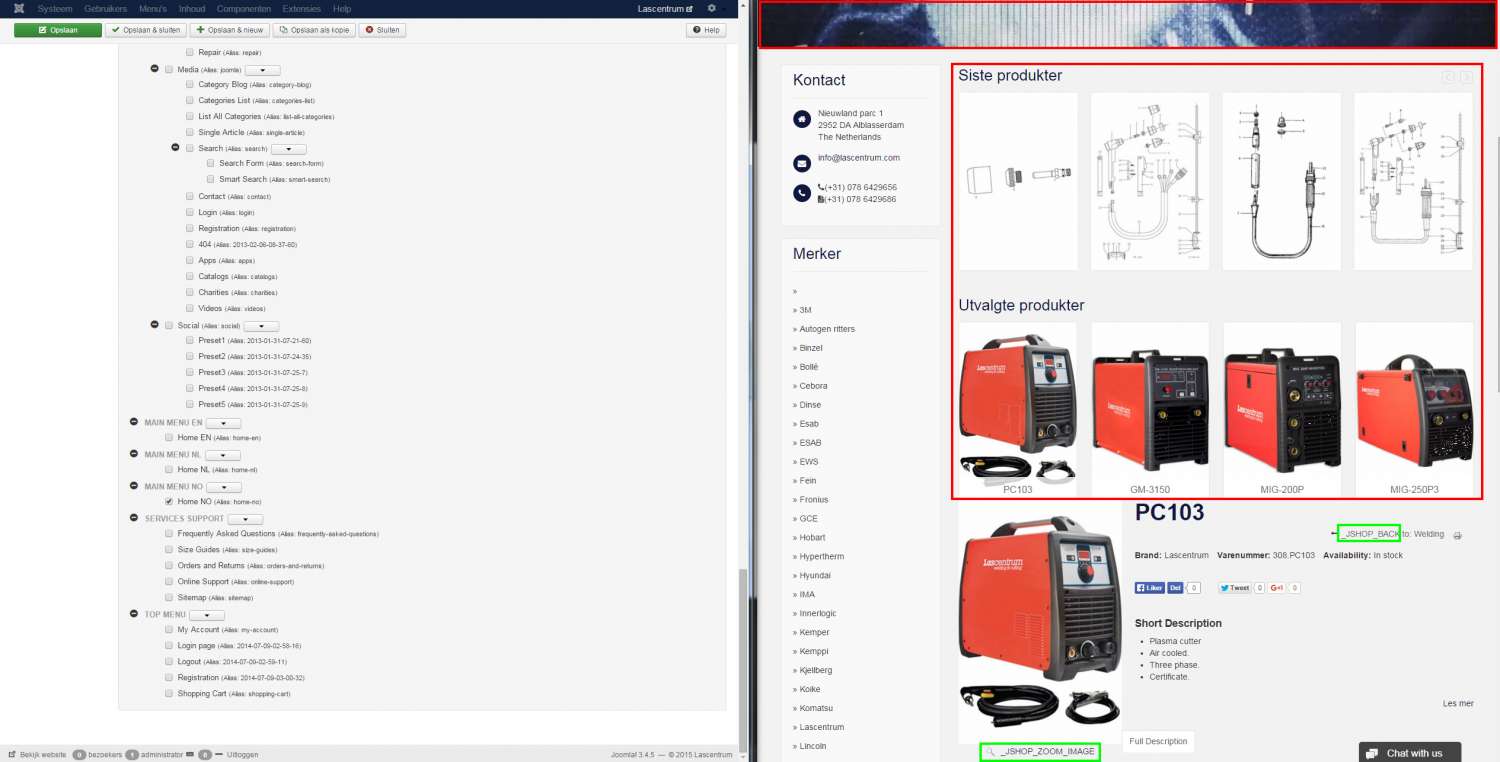
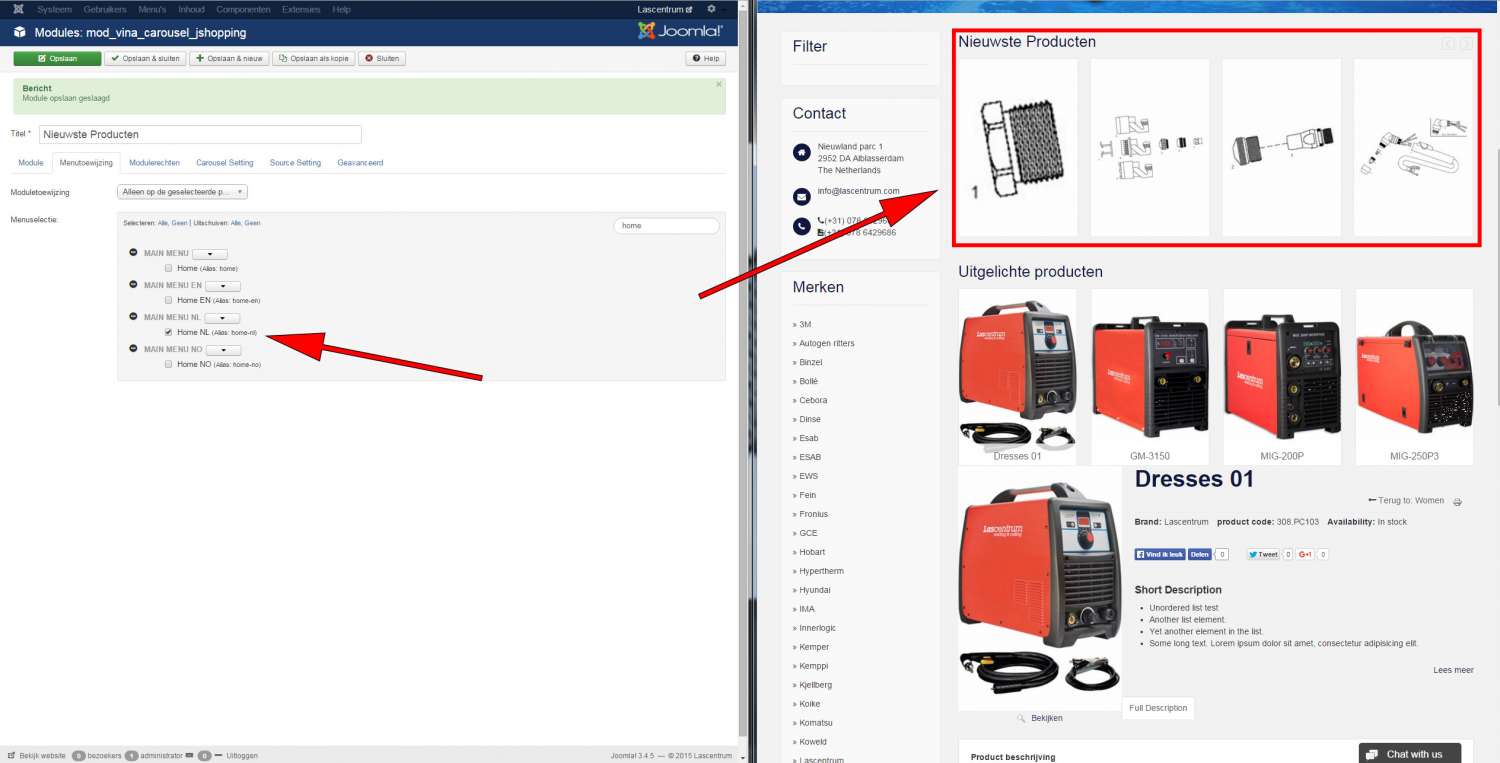
when i change language and choose a product or catagory it takes the module of the home page with it. Can you please tell me how to remove Modules from Jshopping pages?

Dutch(NL)
snip_module-NL.jpg


Norwegian(NO)
snip_module-NO.jpg


Best regards,
Jeff

**EDIT**
It also happens on the English pages, please help.
Last Edit: 10 years 2 months ago by Jeffrey van der Kruit. Reason: Problem got worse
The administrator has disabled public write access.

Vina Fashion II 10 years 3 months ago #2688

  • BT
  • BT's Avatar
  • OFFLINE
  • New Member
  • Posts: 14
  • Orders: 0
  • Download: 2
  • Karma: -1
Hello

I have set a different background for the pages and Installed contact module
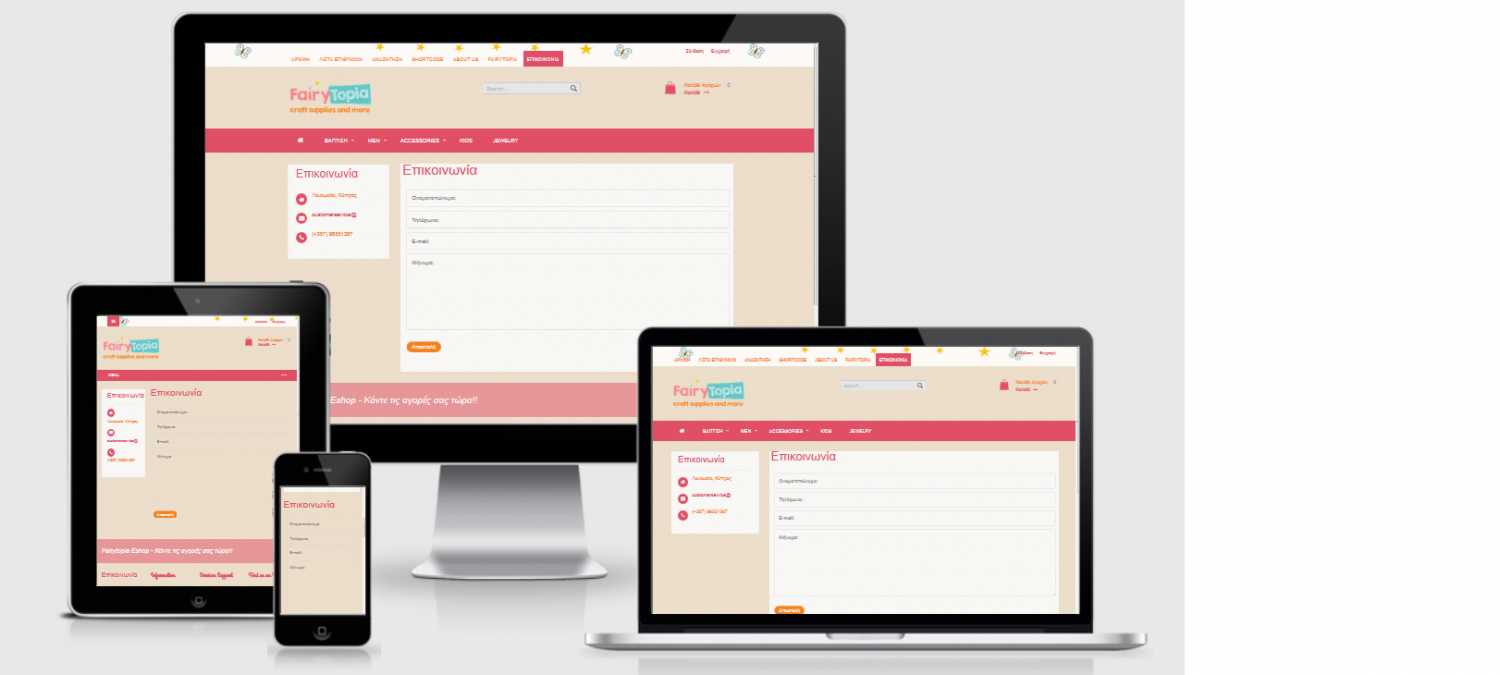
when I check in desktop and laptop view everything is ok but when I go to mobile the white background dissappears and the contact form is not displayed nice.
please see picture if you can help me with the white background which is gone in mobile view

fashion.btportfolio.net/contact
Attachments:
The administrator has disabled public write access.

Modules on article pages 10 years 2 months ago #2705

  • Cuộc Sống Số
  • Cuộc Sống Số's Avatar
  • OFFLINE
  • Platinum Member
  • Life is not waiting!
  • Posts: 659
  • Orders: 0
  • Download: 129
  • Thank you received: 148
  • Karma: 33
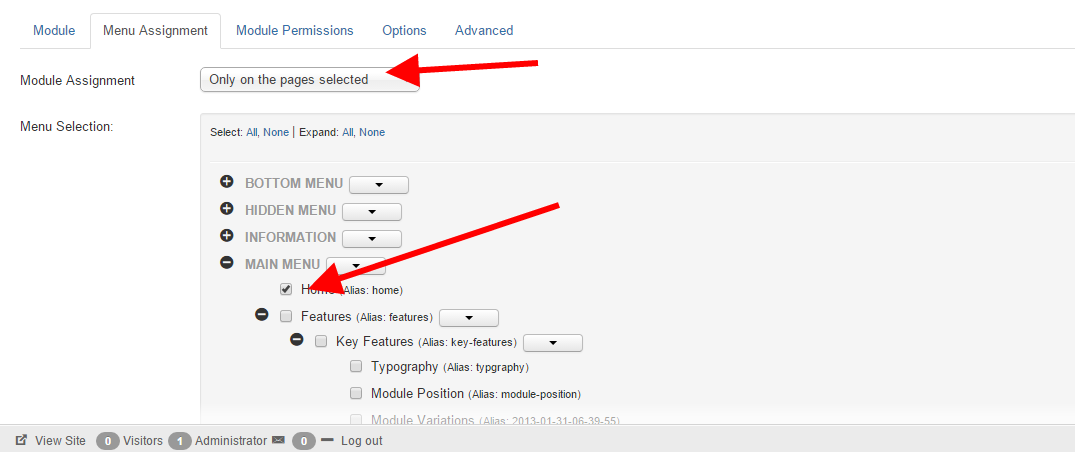
@Jeffrey van der Kruit : You must use Menu Asssignment :

Module Assignment = Only on the pages selected


menu_2015-11-04.png
Cuộc Sống Số - Quick CSS Game
Choose your level and start playing by clicking the topics below ...
♚ ♛ ♜ ♝ ♞ ♟ ♔ ♕ ♖
The administrator has disabled public write access.

Vina Fashion II 10 years 2 months ago #2706

  • Cuộc Sống Số
  • Cuộc Sống Số's Avatar
  • OFFLINE
  • Platinum Member
  • Life is not waiting!
  • Posts: 659
  • Orders: 0
  • Download: 129
  • Thank you received: 148
  • Karma: 33
@BT :

- You use the wrong code :
@media (min-width: 1200px) {
.row-fluid .span9 {
    width: 74.35897435897436%;
    background: transparent url("/images/bg-content.png") repeat scroll 0px 0px;
}
}
If using the code as above, only device screen larger 1200 px have background

- Code for you :
#sp-message-area {
   background: transparent url("/images/bg-content.png") repeat scroll 0px 0px;
}
Cuộc Sống Số - Quick CSS Game
Choose your level and start playing by clicking the topics below ...
♚ ♛ ♜ ♝ ♞ ♟ ♔ ♕ ♖
The administrator has disabled public write access.
The following user(s) said Thank You: BT

Modules on article pages 10 years 2 months ago #2714

@Cuộc Sống Số

Unfortunately this doesn't seem to work. I choose only on selected pages and i only select "HOME NL" and it still shows on all the Joomshopping pages. When i select main menu > home, the module doesn't show at all in Dutch(NL)

snip_NL-selected.jpg


Best regards,
Jeff
The administrator has disabled public write access.
Leather Purses & Handbags, Women’s Crossbody Bags, Tote Bags for Women, Leather Backpacks, Men’s Wallets & Card Cases, Official OLEVS Website, OLEVS Couple Watches, OLEVS Women's Watches, OLEVS Men's Watches, OLEVS Watch, OLEVS Watches